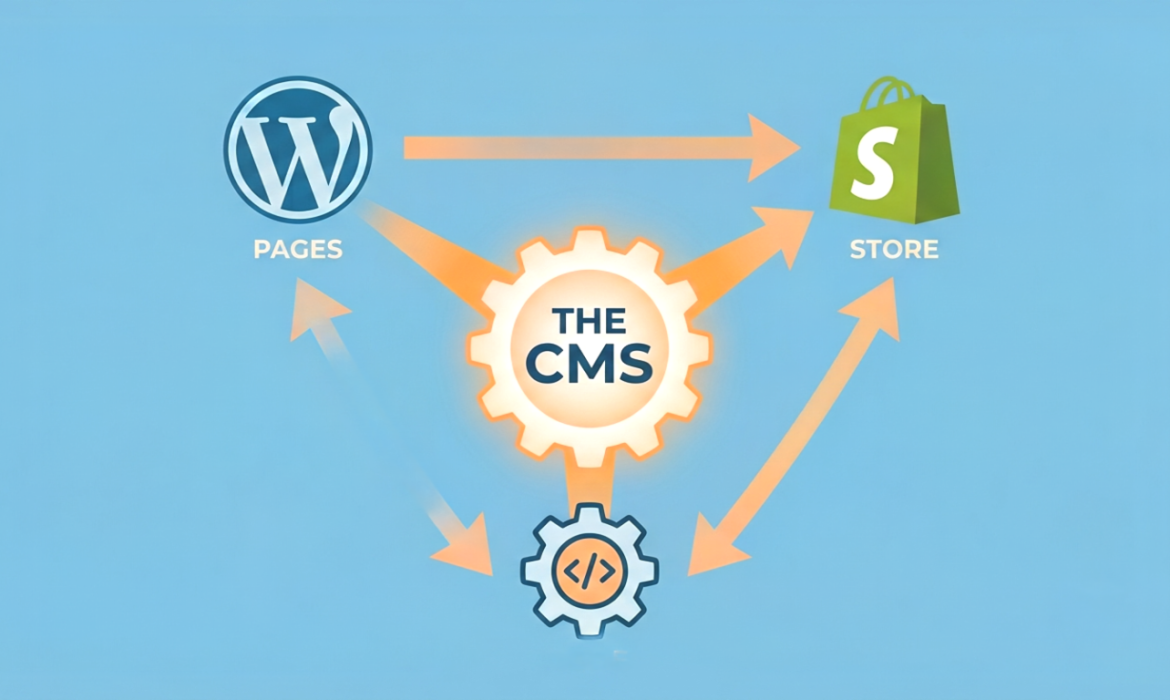
If you’re planning to create a website for your business, one of the first things you’ll hear about is a Content Management System. But what exactly is a CMS software and which one should you select?
There are many options available today with WordPress, Shopify and Custom CMS being the most useful. Each one is designed for different business needs. Choosing the right CMS can make it easy to manage your website, improve customer experience and help your business as it grows.
In this blog, we’ll explain what a CMS is, how it works, and the differences between WordPress, Shopify, and a Custom CMS in easy words.
What is a CMS?
A Content Management System (CMS) is software that allows you to create, edit and manage your website without needing advanced coding knowledge.
Instead of writing code every time you want to updateing your website, a CMS gives you an easy page where you can:
- Add or edit pages
- Publish blog posts
- Upload images and videos
- Update products
- Manage menus and content
- Keep your website organized
A CMS saves time and makes website management much easier for business owners.
How Does a CMS Work?
A CMS separates your website’s design from its content. This means you can update text, images or products without changing the website’s designs.
A typical CMS allows you to:
- Log in through an admin panel
- Make changes using a simple editor
- Save and publish updates instantly
- Manage users with different access levels
- Install extra features using plugins or extensions
This makes maintaining a website much faster and easier.
WordPress Explained
WordPress is one of the world’s most popular CMS platforms. It strong millions of websites, including business websites, blogs, portfolios and service-based companies.
Best For WordPress
- Business websites
- Blogs
- Company portfolios
- Service providers
- Educational websites
Advantages of WordPress
- Easy to use
- Thousands of themes available
- Large collection of plugins
- SEO-friendly structure
- Mobile responsive designs
- Affordable development cost
Things to Consider
- Requires regular updates
- Security depends on proper maintenance
- Too many plugins may slow down the website
Shopify Explained
Shopify is a CMS built mainly for online stores. It helps businesses sell products without worrying about hosting or hard technical more work.
Everything from payments to inventory management is available in one platform.
Best For Shopify
- Online stores
- Fashion brands
- Electronics businesses
- Beauty products
- Small and medium
- eCommerce businesses
Advantages of WordPress
- Quick store setup
- Secure payment options
- Easy product management
- Mobile-friendly checkout
- Reliable hosting included
- Excellent customer support
Things to Consider
- Monthly subscription cost
Limited customization - compared to custom development
- Extra fees for some third-party apps
What is a Custom CMS?
A Custom CMS is a website management system developed specifically for your business.
Instead of using ready-made templates, everything is designed according to your business need and targets.
If your business needs unique new features that standard platforms cannot provide, a Custom CMS is often the good choice.
Best For Custom CMS
- Large businesses
- Healthcare websites
- Educational portals
- CRM systems
- ERP software
- Membership platforms
- Businesses with custom workflows
Advantages of WordPress
- Built exactly for your business
- High flexibility
- Better security
- Faster performance
- Easy integration with other software
- Can grow as your business expands
Things to Consider
- Higher development cost
- Longer development time
- Requires professional
- developers for future updates
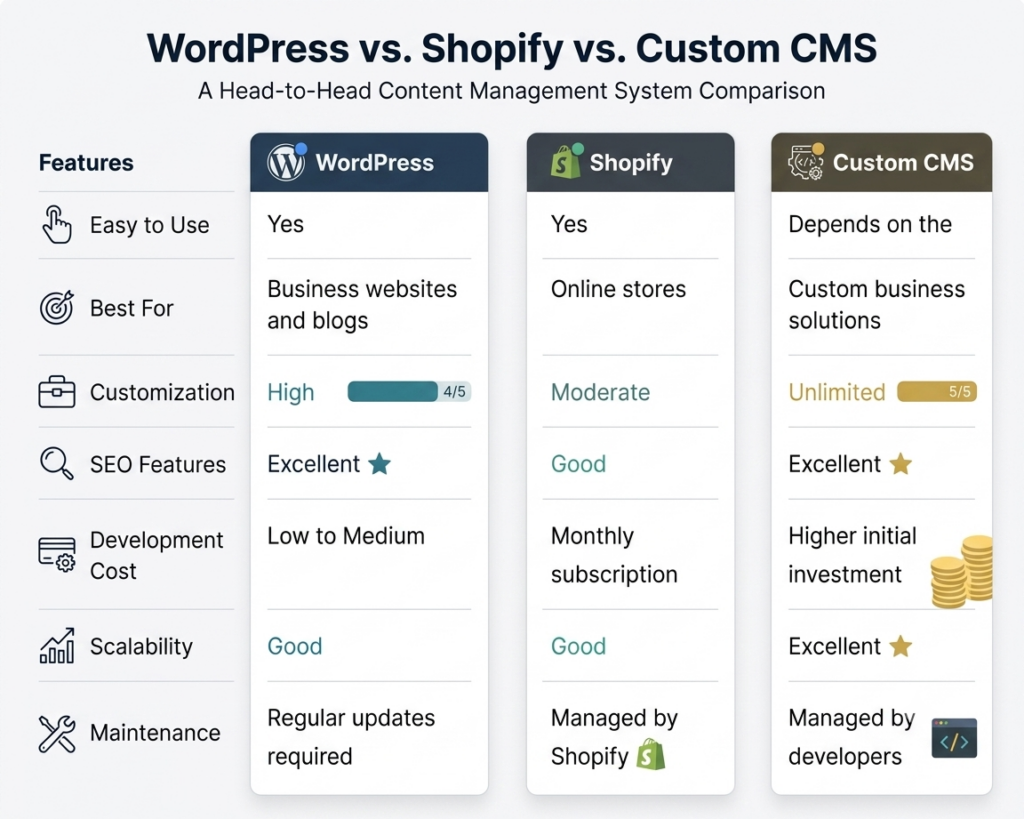
WordPress vs Shopify vs Custom CMS
Which CMS Should You Choose?
The best CMS depends on your business target.
Choose WordPress if you want a business site, company profile or blog that is simple to set.
Select Shopify if your fully focus is selling products online and you want an all-in-one eCommerce.
Choose a Custom CMS if your business need advanced more features, new workflows or software integration that standard platforms cannot offer.
There isn’t a single CMS that’s perfect for all. The best choice is the one that matches your business needs today while giving you room to grow in the future time.
Tips Before Choosing a CMS
Before making your decision, keep these points in mind:
- Clearly define your business one by one targets.
- Think about your future gols all plans.
- Consider your full budget.
- Choose a platform that’s simple to manage.
- Focus on website speed and security.
- Make sure it more supports SEO.
- Select a CMS software that offers reliable long-time support.
Conclusion
A CMS is the foundation of your site. Selecting the right one can save time, improve your online presence, and make managing your business.
Whether you choose WordPress, Shopify or a Custom CMS, the decision should depend on what your business needs—not simple what’s more popular.
At Scrupulous Technology, we help businesses build websites that are secure, user-friendly and designed for long-time grow. Whether you need a professional WordPress website, a powerful Shopify store, or a fully customized CMS solution, our employee is here to work with you create a website that supports your business targets.