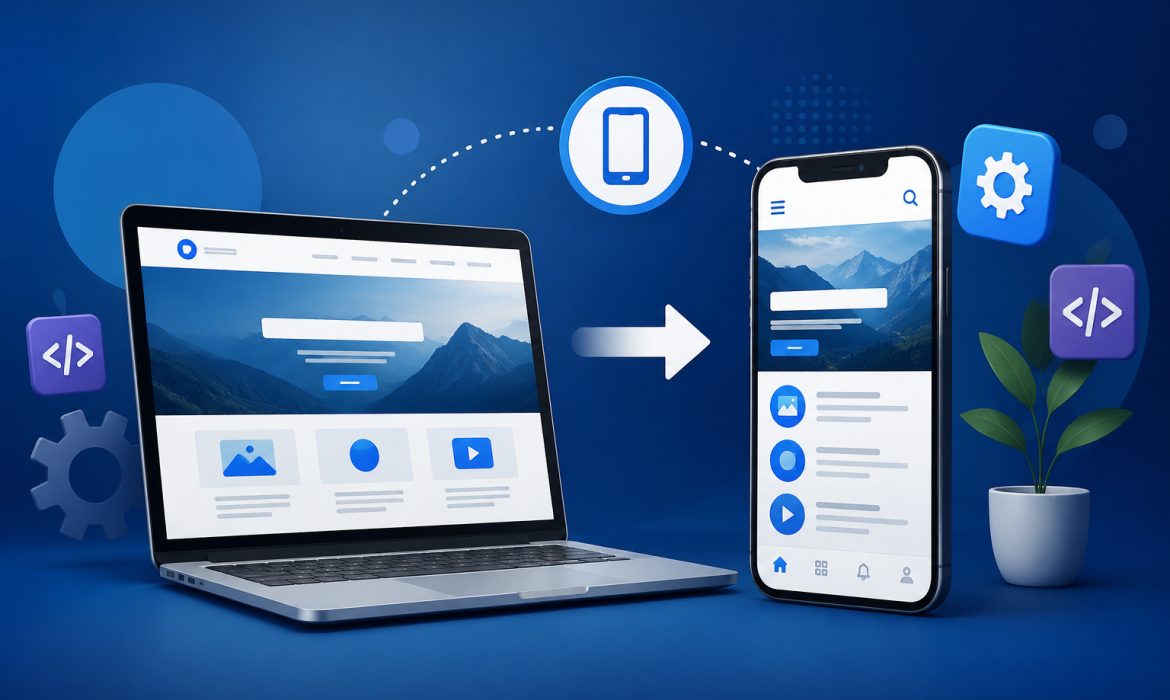
Today, most people use their new smart mobile for all work, from shopping and booking to reading details info and communicat with business. Because of this, having a website is more important, but having a mobile software can give your business another side to connect with user.
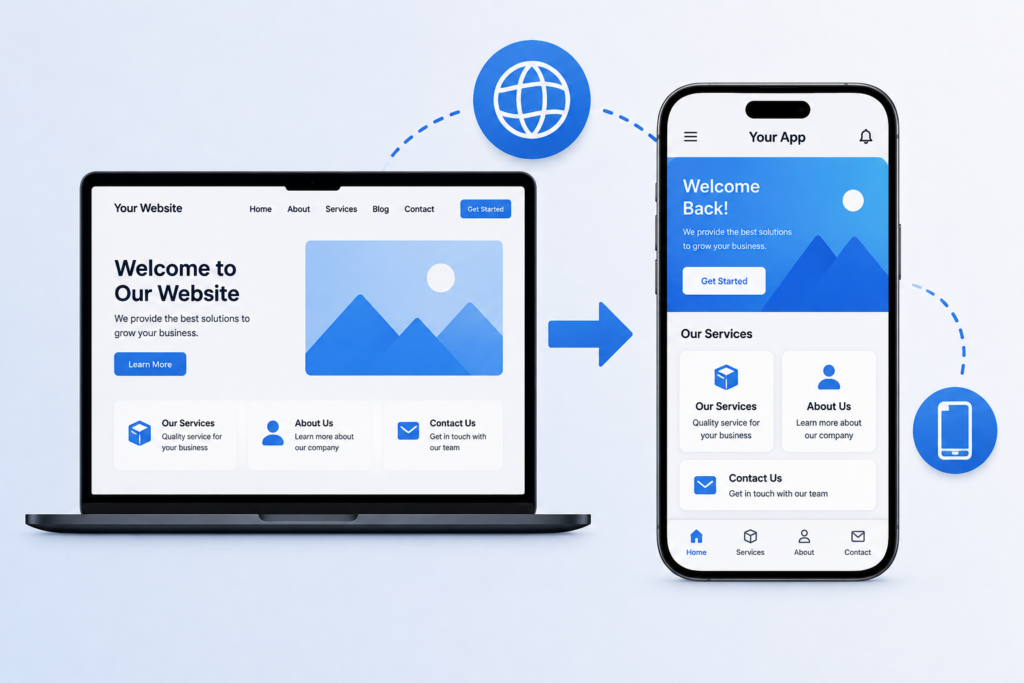
If you already have a online site, you may not need to create a completely new app from the start. Depending on your website and business need, you can turn your site into a mobile software and make your all service available in phone application.
In this guide, we will explain how you can turn your website into a application, the different approach available and the benefits of having an your business.
What Does It Mean to Turn a Website Into a Mobile App?
Turning a website into a mobile app means new creat mobile application that provides access to your site’s all content, services or features way a smartphone.
For example, if you have an e-commerce online website, your mobile app can allow all customers to browse products, add items to their full cart, make easy pay and check orders from their phones.
The app can either screen your website inside an app or be developed with mobile one specific function for a user good experience.
Why Should You Turn Your Website Into a Mobile App?
A website works well on mobile, but an app can provide some add new advantages.
Better Mobile Experience
A mobile app can be designed full specifically for update phones. This can make navigation, buttons, menus and other features easy for users to working.
Easier Customer Access
Users can open your app direct from their phone instead of search for your website all time. This makes it simple for all customers to interact with your business.
Push Notifications
Mobile apps can send notifications to new and old users. You can use them to share info, new offers, reminders, product new launches or other important information.
Stronger Customer Engagement
An app gives customers another way to stay connect with your business. Daily updates and useful features can encourage customers to return to your application.
Better Brand Visibility
When your app logo is visible on a customer device, your business stays more notice. A good designed app can also create a more professional sign.
How to Turn Your Website Into a Mobile App
There are several ways to convert a website into an app. The right option depends on your website, budget, business goals, and required features.
1. Use a WebView-Based App
One of the simpler methods is to create a mobile app using WebView technology. The app loads your existing website inside a mobile application.
This approach can work well for websites that are already responsive and mobile-friendly.
Advantages:
- Faster development
- Lower development cost
- Reuses existing website content
- Simple to maintain
However, a basic WebView app may not provide the same experience as a fully native mobile application.
2. Use a Website-to-App Builder
Several platforms allow businesses to create mobile apps from existing websites with limited coding.
These tools may provide ready-made features such as:
- App navigation
- Push notifications
- User login
- Basic customization
- App publishing support
This option can be useful for small businesses that want a simple app without investing heavily in custom development.
3. Build a Cross-Platform Mobile App
Another option is to develop a mobile app using cross-platform new technologies.
With cross-platform development, developers can create an application that works on both Android and iOS using a shared codebase.
This can less development time while still allowing the app to include features such as user accounts, payments, notifications, and API integrations.
4. Develop a Native Mobile App
For business that need advanced work performance and mobile-specific functionality, native app development can be a best choice.
Native Android and iOS apps are developed specifically for their respective online platforms. This gives developers more control over performance, device features, security, and the overall user experience.
Steps to Convert Your Website Into a Mobile App
Step 1: Check Your Website
Before starting development, check whether your website is mobile-friendly. Pages should load properly on smaller screens, buttons should be easy to use, and navigation should be simple.
Step 2: Decide What the App Should Do
You do not necessary need to copy all part of your website into the online app.
Decide which features are most useful for online mobile device for users, such as:
- User registration and login
- Product browsing
- Online booking
- Shopping cart
- Online payments
- Order tracking
- Customer support
- Push notifications
Step 3: Choose the Right Development Approach
Based on your need, choose between a Web View app, app create, cross-platform app or native mobile application.
The best choice will depend on your budget, expected users, features and future good plans.
Step 4: Connect the App With Your Website
If your website already has a data or backend software, the mobile app can connect to it through APIs.
This allows info such as products, customer accounts, orders or other data to stay synchronized between the web and mobile device application.
Step 5: Design the Mobile Interface
A mobile app should not simple copy the desktop version of a web.
The interface should be good design for smal screens with easy navigation, readable text, clear visible buttons and menus.
Step 6: Test the App
Testing is an very important part of mobile software development. Test the application on different screen sizes and devices to identify problems before full launch.
Check important areas such as:
- Login and registration
- Forms
- Buttons and navigation
- Payment process
- Website and API connection
- Notifications
- App performance
Step 7: Publish the App
After testing, the app can be full prepared for publish on platforms such as Play Store and Apple App Store.
You will need app details such as an app name, description, icon and other required need information before submitting it for view.
Important Things to Consider Before Converting Your Website
Mobile-Friendly Website : Your existing website should work properly on mobile devices. If it does not, fix the mobile experience before converting it into an app.
Security : If your app handles customer details, payments or login details, security should be a most priority. Use secure good connections and follow appropriate security practices.
Performance : Users expect mobile apps to load fast and respond more smooth. Avoid unnecessary features that can make the application very slow.
App Maintenance : Launching the app is not the end of the work steps. You may need to update the software, fix bugs, improve features and keep it compatible with new mobile operating system.
Website vs Mobile App : A website and mobile app can work together than replacing one another.
A website is useful for reaching new visitor through search engines and sharing data with a audience. A mobile app can be more useful for old customers who daily interact with your business.
For many businesses, using both can create a digital presence.
Benefits for Different Types of Businesses
- E-Commerce Businesses
An app can make shopping easy by allowing customers to online browse products, place orders, receive notifications and track deliver root.
- Service Businesses
Service providers can use apps for appointment booking, customer communication, payments, and service updates.
- Educational Businesses
Schools, coaching institutes and online learning platforms can provide courses, videos and notifications through an software.
- Restaurants
Restaurants can use application for online ordering, table reservations, delivery tracking and special discount.
- Real Estate Businesses
Property businesses can use mobile apps to display property listings, images, locations, prices and enquiry forms.
Conclusion
Turning your website into a mobile application can be a useful process for all business that want to customers with easy mobile use. The best approach depends on your website, business need and the features you want to full things provide.
A simple Web View application may be enough for businesses, while others may benefit from a user Android and iOS application with new advanced features.
If you are planning to turn your website into a mobile application, Scrupulous Technology can help you choose the right approach and develop a mobile solution based on your online business needs. A well-planned mobile app can help you provide a best customer experience and build a more strong connection with your user.