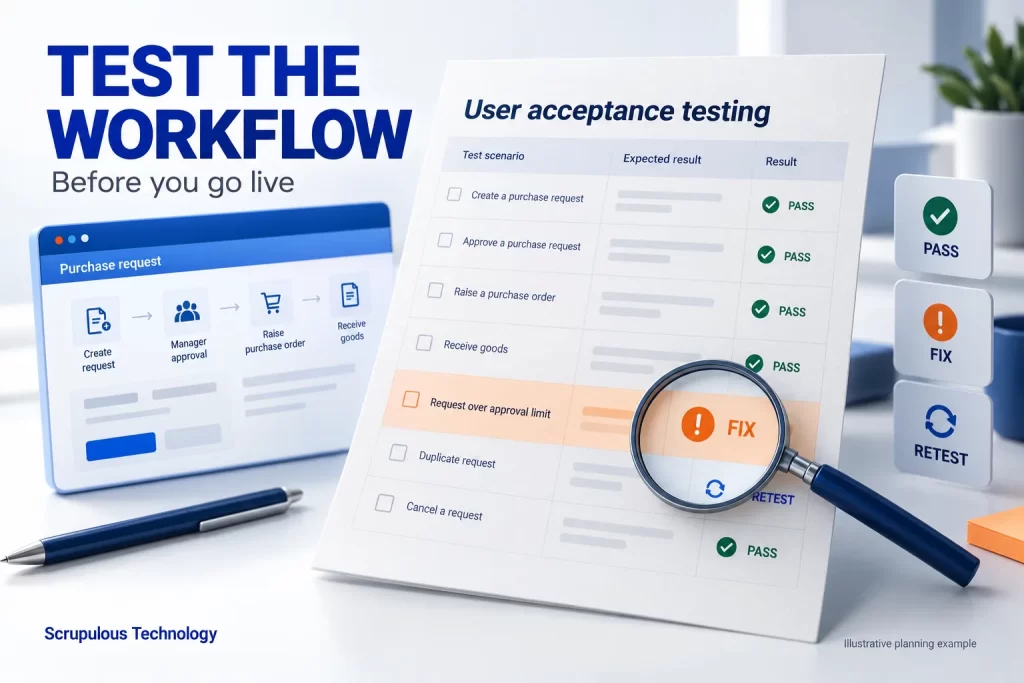
Before you approve a CRM, ERP, mobile app or custom business system for daily use, ask the people who will use it to complete real tasks against agreed acceptance criteria. Record what they expected, what happened and which issues need fixing. A polished demo is useful; a repeatable workflow test gives your team clearer evidence for a go-live decision.
This practical user acceptance testing (UAT) checklist is for business owners, operations managers and project leads. It is a planning guide, not a guarantee that software is secure, defect-free or ready for every environment.
1. Agree what the business must be able to do
Choose a small set of essential workflows and write a visible outcome for each. Replace “the approval screen works” with “a requester submits a complete purchase request, the correct approver can review it, and the requester sees the final decision.” Agree the roles, required fields and exception rules before testing.
Keep the first release separate from future ideas. A change request may be valuable without being a defect in the agreed release. Your requirements brief and approved scope should provide the starting point for acceptance criteria.
2. Prepare people, permissions and safe test records
Ask representatives of each day-to-day role to test: for example, a requester, approver and administrator. Give them the intended access rather than sharing one administrator login. An operations owner should resolve business-rule questions, while the delivery team investigates technical defects.
Use an agreed test environment and synthetic or appropriately protected records. Mark test orders, messages and integrations clearly so a test cannot accidentally trigger a real purchase, customer communication or production update. Confirm which external connections are simulated and which are being tested end to end.
3. Test the normal journey and the awkward cases
Run a complete task from start to finish, then vary the conditions. Check missing required fields, invalid values, a rejected request, a returned request and a user without permission. Include the actual devices and browsers your team plans to use.
For connected systems, check where the record should appear and what happens when the receiving system is unavailable. Retrying must not silently create duplicate business records. Record what you actually tested; a simulated integration result does not prove that the live connection works.
For a mobile workflow, include loss of connectivity and reconnection if offline behaviour is part of the agreed scope. For a CRM import, check ownership and record relationships as well as the number of imported rows.
4. Keep one simple evidence log
For every scenario, record: scenario ID; user role; starting conditions; steps; expected result; actual result; pass or fail; supporting screenshot or record reference; issue owner; and retest result. Avoid putting passwords, personal customer details or unnecessary confidential data in screenshots.
Example — UAT-04: a requester submits a purchase request with a required field missing. Expected: submission is blocked, the missing field is explained, and no approval task is created. If the screen warns the user but an approval task is still created, record the mismatch and retest after the fix. This is an illustrative example, not a result from a client project.
5. Retest fixes and make an explicit release decision
Classify issues by business impact with the people responsible for the workflow. A blocked critical task or incorrect access needs a different response from a cosmetic spacing issue. Agree release conditions in advance; there is no universal acceptable defect count for every business.
Retest the failed scenario on the corrected version and check nearby steps that the fix could affect. Keep the result attached to the issue. Before launch, the named business owner should review test coverage, unresolved issues, workarounds, training, support responsibilities and the recovery plan. Record the decision and who accepts any remaining operational limitations.
UAT complements technical quality assurance. Security, performance, backup recovery and other specialist checks need their own planned verification; a business user completing a task does not replace those checks.
A short go-live readiness checklist
Can each essential workflow be completed by the intended role?
Are required fields, approvals, rejected requests and access restrictions checked?
Are data mappings and integration failures covered within the agreed scope?
Have failed cases been fixed and retested with evidence?
Are unresolved issues, owners and workarounds visible?
Do users know the process, support contact and recovery arrangements?
Has the responsible business owner recorded the release decision?
Planning a business software project?
Scrupulous Technology in Vadodara designs and develops business applications and integrations around client requirements. Share your users, current workflow, essential outcomes and existing systems so we can discuss a suitable scope and acceptance checks.
Use the requirements brief before requesting a quote, then agree the UAT responsibilities and evidence as part of delivery planning. The checklist above is a practical planning approach, not a fixed implementation timetable.