When people think about SEO, they all focus on more keywords, blog content or long time backlinks. However, images also use an important part in improving your website search rankings. Well-optimized images make your online way fast, improve the customer experience and help your content appear in Google Image Search page.
Image SEO is more than upload photo to your website. It involves selecting the image, reducing its file size, writing descriptive file names, adding alt text and making sure every image.
In this guide, you’ll learn what Image SEO is, why it matters and the ways to optimize your images for best Google rankings.
What is Image SEO?
Image SEO is the process of optimizing images so search engines can understand and good rank them properly. It also helps your website provide a better browsing experience for visitors.
Google cannot fully understand an image. It relies on information such as the image file tital, alt text, captions, surrounding content and page. When these elements are correct, your images have a better chance of appearing in search output and driving more visitors to your web.
Why is Image SEO Important?
Images make your website more easier to understand. But if they are not optimized, they can slow down your site and affect your SEO work.
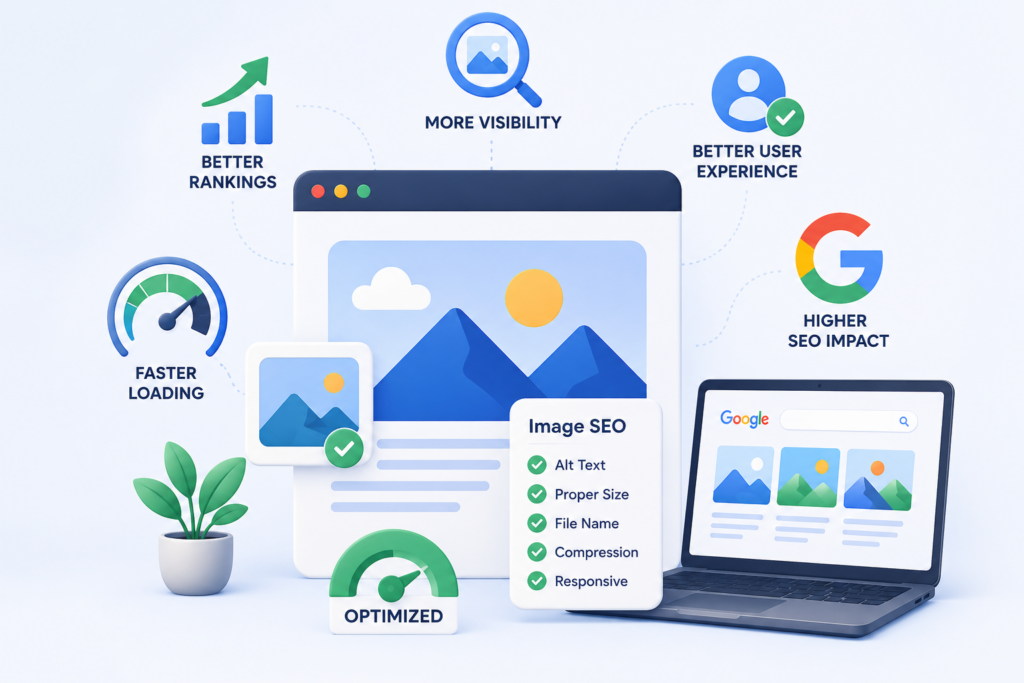
Proper Image SEO helps you:
- Improve more website loading speed.
- Increase visibility list in Google Image Search.
- Improve user real experience.
- Make your website more useable.
- Support top rankings in Google Search.
Optimized images benefit both your visitors and search engines, making them an important part of every SEO steps.
How Does Image SEO Work?
Search engines use different mages and decide where they should appear in search outcomes. The main Image SEO include:
• Choose High-Quality Relevant Images
Always use fully clear, high-quality images that match the content of your home page. Relevant images help users understand your content.
• Use Descriptive File Names
Instead of uploading images with names like IMG12345.jpg, rename them using meaning full seo words.
Example:
IMG12345.jpg ❌
image-seo-guide.jpg ✅
A descriptive file name helps search engines understand the image before it is even displayed.
• Write Effective Alt Text
Alt text (alternative text) describes the image for search engines and users who use screen readers.
Example:
Good Alt Text:
“Person optimizing website images for up to Google rankings.”
Avoid hard keywords into the alt text. Keep it short and descriptive.
• Use the Right Image Format
Different image formats serve different purposes.
- JPEG – Best for photographs.
- PNG – Best for graphics images.
- WebP – Offers good quality with smal file sizes.
- SVG – Ideal for new logos.
Choosing the correct format helps improve performance.
• Add Image Captions When Helpful
Captions provide more context for users and may add engagement. While captions are not to much required for every image, they can improve the overall user full experience.
• Make Images Mobile-Friendly
Most users google websites on mobile devices. Ensure your images change size properly on different screen without affecting loading speed.
Benefits of Image SEO for Your Website
1. Better Google Rankings
Optimized images help search engines understand your content more powerful, which can contribute to improved rankings.
2. Faster Website Performance
Compressed and properly sized images less page loading time, improving both SEO and user satisfaction.
3. More Organic Traffic
Images that appear in Google Image Search can bring additional users to your website without paid advertising.
4. Improved User Experience
Relevant and optimized photo make your data more easier to read, more engaging and visually appealing.
5. Better Accessibility
Alt description allows visually impaired users to understand your images through screen, making your website more inclusive.
6. Lower Bounce Rate
Fast-loading pages with useful images encourage visitors to stay long time and explore more web pages on your website.
7. Stronger Overall SEO
Image optimization works together with on-page SEO steps, technical SEO and content marketing to improve your website's overall search working performance.
Best Practices for Image SEO
Follow these simple practices to get the best results:
- Use original, high-quality images whenever possible.
- Rename image files using descriptive keywords.
- Write clear and natural alt text.
- Compress images before uploading.
- Choose modern formats like WebP when available.
- Use responsive images for mobile devices size.
- Add images that are relevant to your full content.
- Create an image sitemap for large websites.
- Enable lazy loading to improve page speed.
- Regularly review and update old images.
Common Image SEO Mistakes to Avoid
Many websites miss valuable SEO opportunities because of very simple mistakes.
Avoid these common errors:
- Uploading very large image files.
- Using generic file names.
- Leaving the alt text blank.
- Adding too many words in the alt text.
- Using blurry quality images.
- Ignoring mobile optimization.
- Using images that have no connection to the tital.
Fixing these issues can improve both your rankings and user experience.
Conclusion
Image SEO is an important part of all successful SEO plan. Optimized images make your site very fast, add accessibility, enhance user good experience and increase your chances of appearing in Google Image Search list.
By following daily practices such as using descriptive file names, writing meaningful alt description, compressing images and choosing the right formats, you can improve your website’s overall work performance and attract more traffic.
If you want to improve your website’s SEO and achieve better search engine rankings, Scrupulous Technology provides professional SEO services designed to help your business grow online. Our experienced team can optimize every part of your website—including images—to deliver long-term results and a better user experience.