A mobile app can have so many more long time, but that does not always mean users will joyable using it. If an application is haed to understand, slow to load or confusing to navigate, users may stop using it.
A user-friendly mobile app makes very good things. Users should be able to open the app, understand what to do and work without unnecessary steps. Whether you are building a shopping app, business app, banking app or service application on the user good experience.
What Makes a Mobile App User-Friendly?
A user-friendly mobile app is very easy to understand, simple to navigate and comfortable to use. It should help users complete their work without making them think too much about where to click or what to do next.
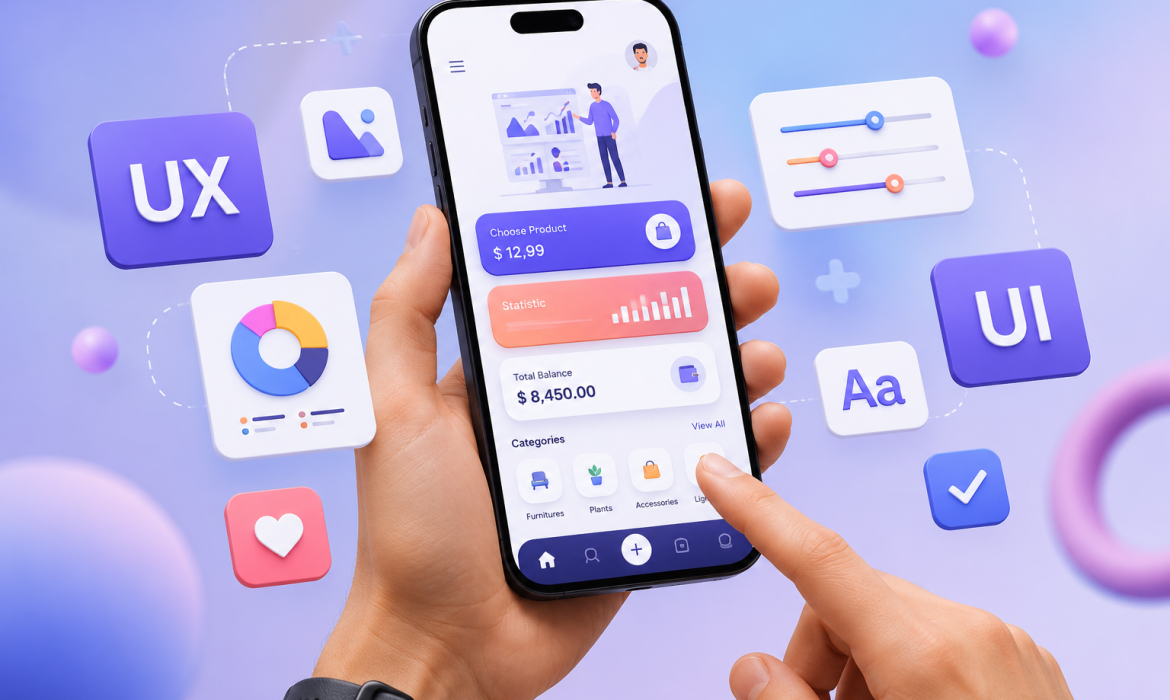
Good app design is not only about attractive colors or new graphics. It is also about creating a easy experience from the moment users open the app.
Some important factors include:
- Simple and clear navigation
- Easy-to-read content
- Fast loading speed
- Mobile-friendly design
- Clear buttons and icons
- Simple registration and login
- Helpful error messages
- Secure handling of user information
- Regular updates and improvements
Why User-Friendly Design Matters for Mobile Apps
People have many apps to select from today. If an app creates problems or takes too much time to use, users can easy move to other option.
A simple and enjoyable app can help businesses keep users connect and build trust. It can also encourage users to return to the app and recommend it to others.
A better user experience can lead to:
- Higher user engagement
- More app downloads
- Better customer satisfaction
- More repeat users
- Higher conversions
- Stronger brand trust
How to Make a Mobile App More User-Friendly
1. Keep the App Simple
One of the best ways to improve an app is to avoid unnecessary. Users should not have to go through multiple display to perform a work.
Keep the layout clean and show only the infor users need at that moment. Important all features should be easy to find, while less important options can be placed in other menus.
A simple app is usually easy for both new and daily users.
2. Make Navigation Easy
Users should fast understand how to move around your app. Use similar menus and titals so people do not have to guess what each option means.
For example, if your app has sections such as Home, Products, Cart and Profile, keep these options easy to work.
Good navigation less confusion and helps users reach their destination faster.
3. Improve App Loading Speed
Nobody likes waiting for an app to load time. Even a good design app can lose users if it is slow.
You can improve app performance by:
- Reducing unnecessary files
- Optimizing images
- Improving code performance
- Reducing unnecessary background processes
- Using efficient APIs
- Testing the application on different devices and networks
A faster app creates a smoother experience and can encourage users to spend more time using it.
4. Use a Clean and Responsive Design
Your app should look good and work complate on different screen sizes. Buttons, images, text, menus and other elements should fit comfortab on both small and big mobile screens.
Avoid filling every part of the screen with information. Proper spacing and a clean fornt design make the app easier to read and use.
The design should full support the user’s task instead of distracting them from it.
5. Make Buttons and Icons Easy to Understand
Buttons should clear tell users what will happen when they tap them.
For example, instead of using a confusing icon for an important action, use a clear tital such as:
- Add to Cart
- Book Now
- Submit
- Continue
- Download
- Pay Now
Icons can also be useful, but very common icons should be used where all possible. Clear buttons make the app easy to understand, especially for first-time users.
6. Make Sign-Up and Login Simple
Long registration forms can frustrate customers. Ask for only the details that is actually required.
If possible, offer simple login options and make password recovery simply. If users forget their password, they should be able to recover their account without going through a complicated all steps.
A simple on boarding and login experience can reduce the number of users who leave before using the app.
7. Give Clear Feedback
Users should know what is happening after they perform.
For example, when a user submits a form, upload a pdf, places an order or makes a pay, the app should riew.
Messages such as “Your order has been placed” or “File uploaded successful” reassure users that their action was full completed.
If something goes bed, explain the error in language and where possible, tell users how to fix it.
8. Make the App Accessible
A good mobile app should be comfortable to use for as lots people as possible.
Use readable text, suitable contrast and touch-friendly buttons. Avoid making important information depend only on color or more small icons.
Accessibility is not only helpful for users with disabilities. It can make the app for everyone to use.
9. Focus on Security
Users expect their personal details to be protected. Security should be considered during the mobile app development process rather than add at the end.
Businesses should use suitable security practices for login details, personal data, payments and other sensitive data.
A secure app helps build user confidence and protects both customers and the business.
10. Test the App with Real Users
Developers and designers may understand an app very well because they created it. However, new users may experience it differently.
Testing the app with real users can help identify:
- Confusing navigation
- Difficult forms
- Unclear buttons
- Slow screens
- Design problems
- Missing information
- Unexpected errors
User feedback can show you what needs to be improved before and after the app is launched.
Benefits of a User-Friendly Mobile App
Better Customer Experience
When an app is easy to use, customers can complete their tasks without unnecessary effort. This creates a more positive experience.
Higher User Engagement
A simple and useful app encourages users to spend more time on it and use its features regularly.
More Customer Retention
Users are more likeable to continue using an app when they can easily find what they need and do not daily base face problems.
Increased Conversions
Whether your target is to sell products, receive bookings, generate leads or encourage subscriptions, a smoother user experience can help users full important actions.
Stronger Brand Image
Your mobile app is often part of your customer's good experience with your business. A professional and easy-to-use app can create a positive impression of your business brand.
Tips for Improving Mobile App User Experience
- Keep the interface more clean.
- Use clear and easy to all understand labels.
- Make some important features easy to find.
- Reduce less unnecessary steps.
- Improve app loading and response all time.
- Make buttons big enough to tap comfortably.
- Test the app on different devices and all type of screen sizes.
- Provide useful error and success short messages.
- Keep user details secure.
- Collect feedback and improve the app daily.
Conclusion
Making a mobile app full user-friendly is about more than creating a more good-looking interface. It is about understanding what users need and making every step as very simple as possible.
Easy navigation, fast performance, clear communication and very strong security all contribute to a better mobile app experience. Regular testing and user feedback can also help businesses find problems and improve the app all time.
If you are planning to create a mobile application or want to improve an existing app, Scrupulous Technology can work you create practical and user-focused mobile app solutions. A well-design app can make it easy for customers to connect with your business and have a best experience.