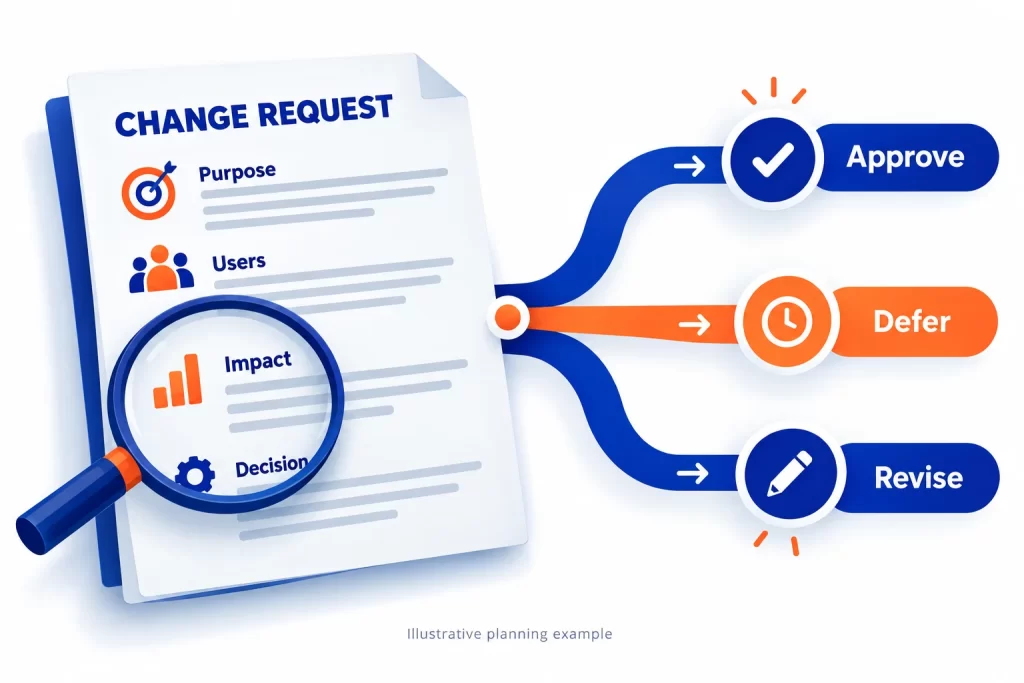
A software change request records what needs to change, why it matters, who is affected and what approval is needed. Before a team starts work, compare the request with the agreed requirements, assess its impact and record the decision. A short request can affect several screens, permissions or connected systems.
For business owners planning custom software in Vadodara, this is a practical way to keep decisions visible. It is not a rule that every request costs extra: the agreed scope, acceptance criteria and project terms determine how it is handled.
1. Is it a defect, clarification or new scope?
Defect: the application does not meet an agreed requirement. For example, an approved request should become read-only, but users can still edit it. Record the expected behaviour and evidence so the team can investigate.
Clarification: the requirement is ambiguous. For example, “send a reminder” does not identify the recipient or timing. Resolve the ambiguity against the proposal and decisions already recorded.
New scope: the business wants behaviour that was not agreed, such as adding a second approval level or connecting a new accounting tool. Assess it before committing to delivery. Avoid deciding the category from the size of the visible screen change alone.
2. Write a request someone else can assess
Describe the current behaviour and the desired behaviour. Name the user role and the business problem. Add a screenshot or example record when it helps, using sample data rather than private customer information.
A useful request includes: request owner; affected workflow; business reason; desired outcome; systems and data involved; urgency; and a testable acceptance check. Say what is outside the request as well. A preferred date is a planning input, not a delivery commitment.
Illustrative example: a purchase team wants a finance review for requests above an agreed threshold. The request must define the threshold, reviewer permissions, what happens if the reviewer is unavailable, and which existing requests are affected. No client project or fixed policy is implied.
3. Check the impact beyond the screen
Ask the development team to assess changes to data, permissions, notifications, reports and integrations. A new approval step may affect audit history, pending records and mobile notifications even if it adds only one button.
Check API availability, third-party limits, migration or data-cleanup work, testing and release dependencies. Consider what happens if deployment fails and how existing users will be supported. Ask which assumptions need a short technical investigation before a reliable estimate can be made.
Keep effort, price and elapsed delivery time separate. External access, decisions and testing availability can affect the schedule. There is no responsible universal price for a request described only as “a small change”.
4. Record a decision and update the plan
Choose an explicit outcome: approve, defer, decline or revise. Approval should identify the scope, commercial impact, dependencies and acceptance checks. If a feature is exchanged for another item, record both sides of that decision. Silence in a chat thread is not a useful approval record.
Keep a simple decision log: request reference, owner, agreed change, impact summary, decision maker, decision date and planned release. Record open questions and who will answer them. This is especially useful when business users and developers work across different teams.
After approval, update the relevant backlog and release plan. Tell affected users what changes and what they must test. Use your existing project process; a small team does not necessarily need a formal committee.
5. Test the change and close the request
Test the new behaviour against the agreed acceptance checks, then check nearby workflows that could be affected. For the approval example, test both sides of the threshold, unavailable reviewers, role permissions and requests already in progress.
Record the result, outstanding issues and release decision. A request is not complete merely because code was deployed. Confirm who accepts the result and whether documentation or user training needs updating. Keep the change record with the original requirements so the next request starts from an accurate baseline.
Before your next software discussion
Bring one real workflow, the current problem, the desired outcome and the systems involved. Scrupulous Technology in Vadodara develops custom business applications, mobile apps and integrations around agreed requirements. Our team can review the proposed change and discuss discovery, scope and next steps.
This guide is a planning aid, not a quotation, contractual interpretation or promised delivery timetable. Use the project agreement and your responsible decision makers to settle commercial responsibilities.